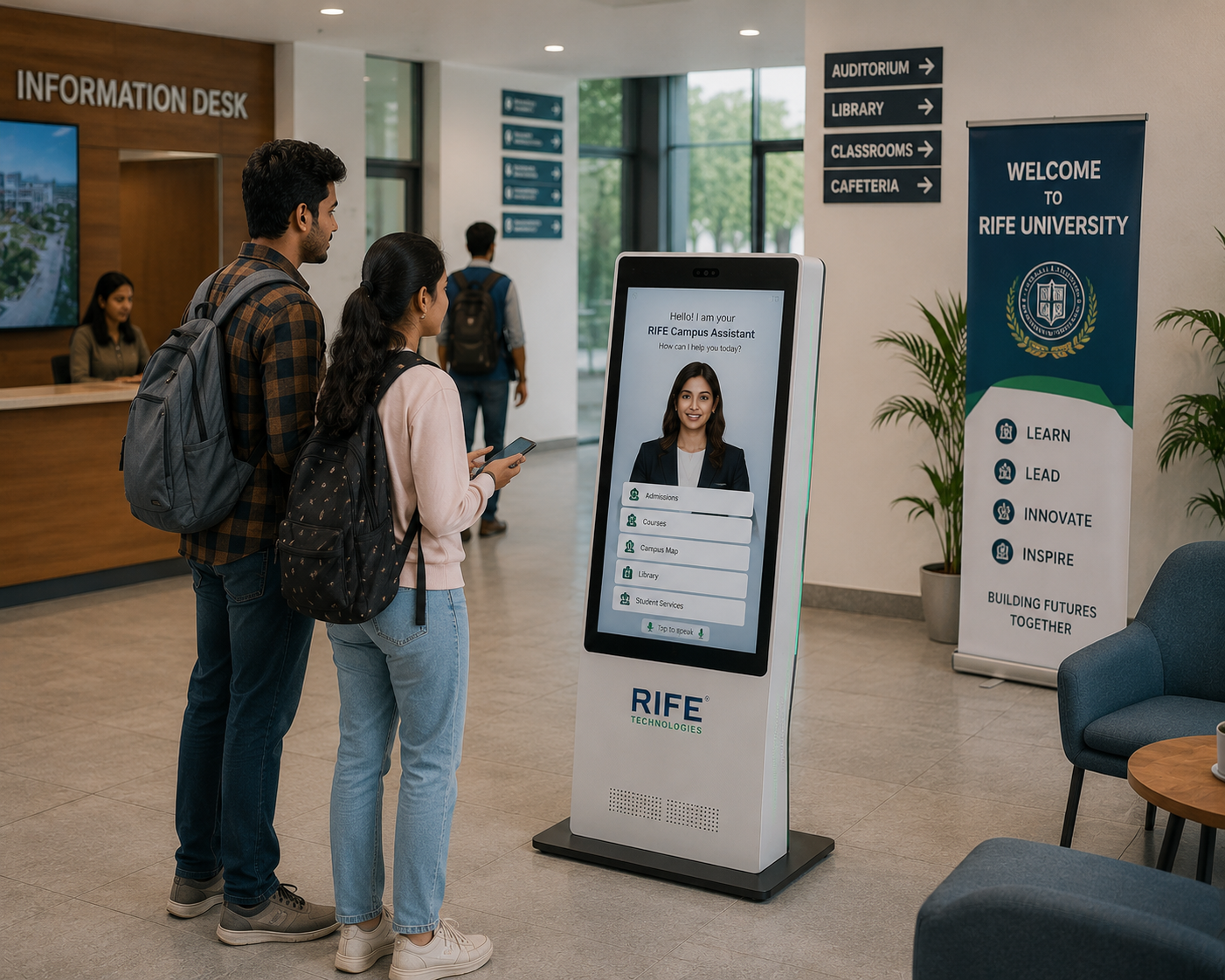
RECEPTION
Admissions Guidance
Explain approved admission steps, documents, dates and enquiry routes.
Give parents, students and visitors a friendly digital point of contact for admissions information, campus guidance, school events, policies and approved day-to-day enquiries.
Give parents, students and visitors a friendly digital point of contact for admissions information, campus guidance, school events, policies and approved day-to-day enquiries.
The value is the interaction behind the face: approved knowledge, conversational explanation, visual guidance, repeatable orientation or training content, clear actions and human escalation when needed.
Explain approved admission steps, documents, dates and enquiry routes.
Answer common parent and visitor questions from school-approved information.
Show event details, campus information, locations and orientation content.
Escalate safeguarding, sensitive or exceptional requests to authorised staff.
Reduce repetitive reception questions while keeping staff available for personal or sensitive conversations.
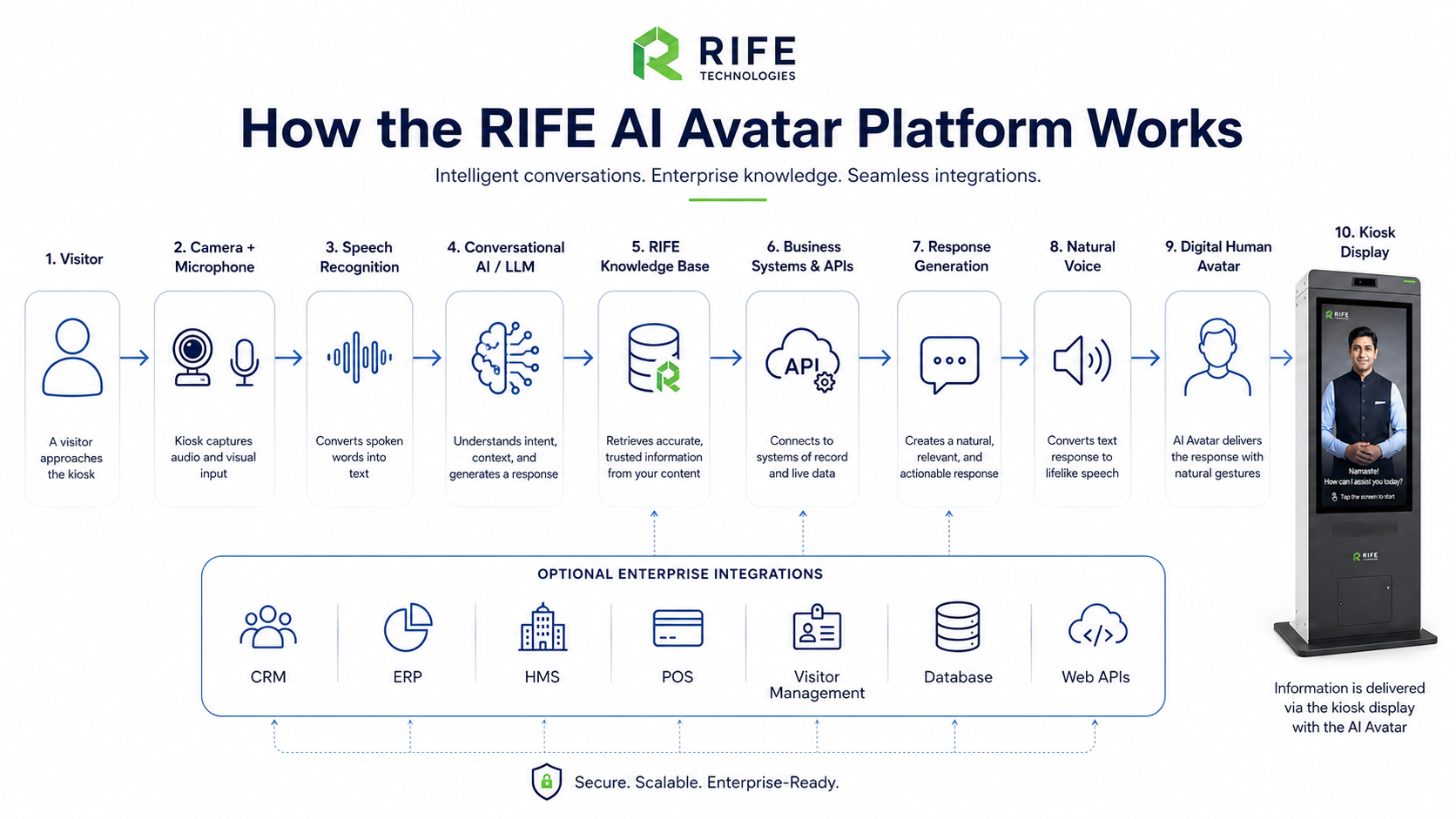
The avatar uses approved school content and can support selected languages without improvising beyond its knowledge boundary.
A parent, student or visitor approaches the kiosk and selects voice or touch.
The avatar identifies the admission, event, location or information need.
It explains approved information, directions or the correct next step.
The journey ends with a QR/form hand-off or directs the visitor to the appropriate member of staff.
Explain approved admission steps, documents, dates and enquiry routes.
Answer common parent and visitor questions from school-approved information.
Show event details, campus information, locations and orientation content.
Escalate safeguarding, sensitive or exceptional requests to authorised staff.
Avatar persona, approved knowledge, visual learning content, language coverage, screen format, optional peripherals, integrations and deployment architecture are confirmed during project review.
Yes, when the school provides and approves the admissions information used by the kiosk.
Selected languages can be configured subject to approved translated content and project scope.
No. Sensitive, safeguarding and exceptional matters should always be escalated to authorised people.
Yes. Approved maps, schedules and event information can be presented visually.
Tell us the audience, questions, training or orientation topics, preferred languages, avatar style, visitor journey and any approved systems that should be connected.