AI KIOSKS · SELF-SERVICE · INFORMATION

AI kiosks for Hotels

Give guests a clear self-service point for approved property information, arrival guidance, amenities, dining and concierge journeys.

TOUCH + AIGuided self-service interaction
CONFIGURABLEContent, workflow and branding by project
CONNECTEDIntegrations subject to technical review
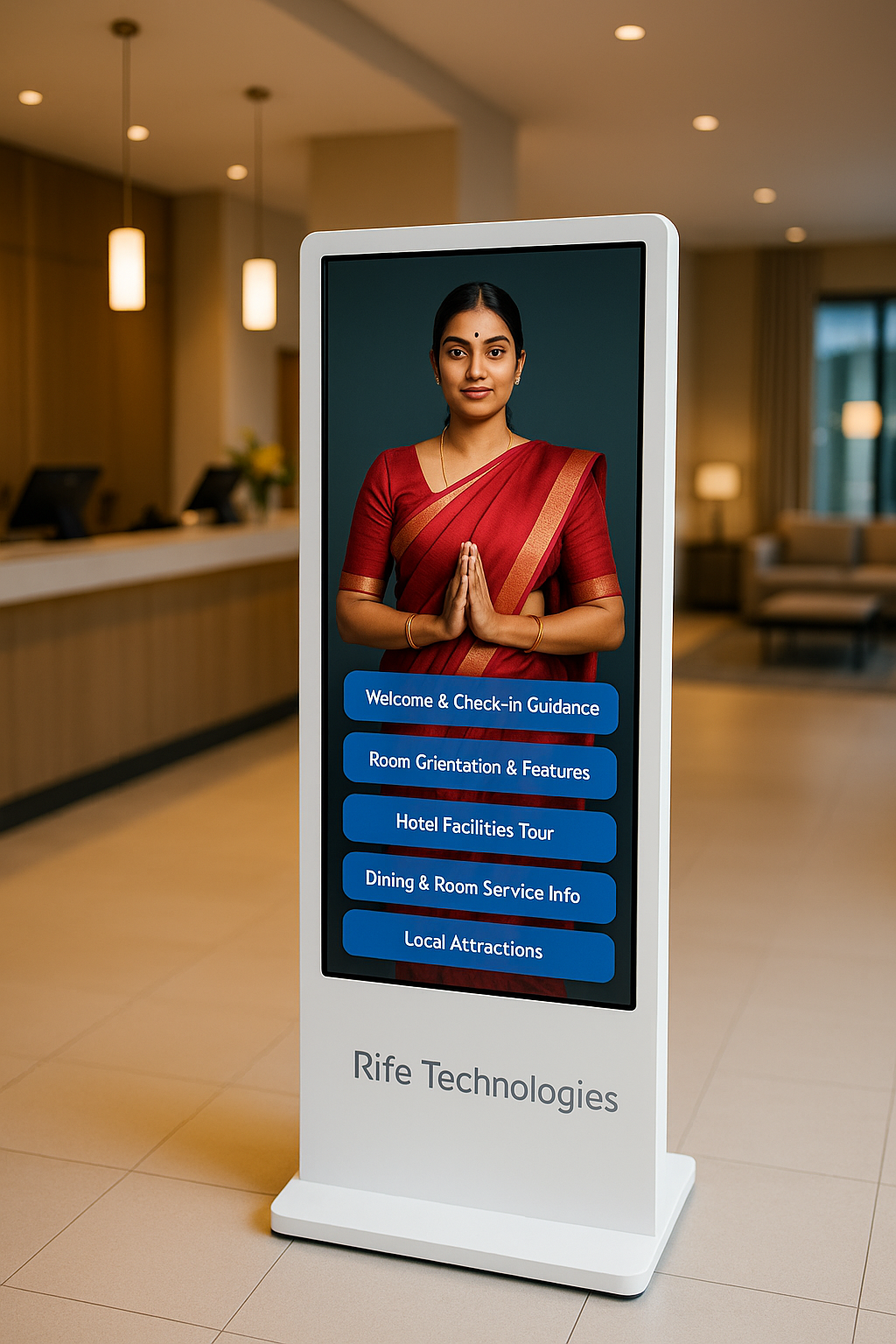
RIFE AI KIOSKSRIFE AI kiosk in a hotel lobby
Project configuration shown
PURPOSE-BUILT SELF-SERVICE

Make self-service feel like hospitality, not another screen.

A hotel kiosk should shorten simple journeys while keeping staff available for exceptions, judgement and personal service.

APPLICATIONS

Build the kiosk around the user journey

The useful kiosk is the one that removes friction from a specific journey while keeping approvals, privacy and system boundaries clear.

AI Kiosks for Hotels - Arrival Guidance
CHECK-IN

Arrival Guidance

Present approved check-in steps and reception information.

AI Kiosks for Hotels - Digital Concierge
CONCIERGE

Digital Concierge

Answer approved questions about property services and amenities.

AI Kiosks for Hotels - Dining & Facilities
AMENITIES

Dining & Facilities

Show restaurant, banquet, spa and facility information.

AI Kiosks for Hotels - Local Information
LOCAL

Local Information

Present hotel-approved destination and transport guidance.

AI Kiosks for Hotels interface and workflow
GUEST SELF-SERVICE

Give guests immediate answers to common questions

Use the kiosk for high-frequency property information and guided journeys without removing human hospitality from the service model.

  • Property information
  • Amenities and dining
  • Check-in guidance
  • Reception escalation
AI Kiosks for Hotels project configuration
HOTEL SYSTEMS

Connect only what the property can support securely

PMS, payment, room-service or booking workflows are project-specific integrations rather than assumed kiosk features.

  • PMS interface review
  • Approved payment flow only if required
  • Property-specific content
  • Fallback to reception
HOW IT WORKS

A controlled path from question to action

01

Welcome

Guest starts with touch or voice.

02

Choose

Select check-in, amenities, dining or information.

03

Assist

Kiosk presents approved property guidance.

04

Connect

Escalate to staff or a supported hotel system when needed.

USE CASES

Typical deployment areas

AI Kiosks for Hotels - Lobby

Lobby

Guest information and arrival support.

AI Kiosks for Hotels - Convention Areas

Convention Areas

Venue and event information.

AI Kiosks for Hotels - Serviced Apartments

Serviced Apartments

Property guidance and resident information.

AI Kiosks for Hotels - Resorts

Resorts

Amenities, dining and activity guidance.

PROJECT CONFIGURATION

Confirm the exact software, hardware and integration scope

Capabilities depend on the approved workflow, selected kiosk configuration and available system interfaces.

Primary roleGuest self-service and information
PMS integrationSubject to available interface and approval
PaymentsProject-specific and only via approved payment systems
LanguagesSelected per deployment
Property contentHotel-approved information and FAQs
Staff hand-offConfigured per service model
FAQ

Questions before you plan a deployment

Can guests check in from the kiosk?

Check-in can be supported when the hotel PMS and identity/payment workflow provide an approved integration path.

Can it act as a concierge?

It can present hotel-approved property and local information and guide guests to staff for exceptions.

Can it take payments?

Payment is included only when a suitable approved payment system and project scope are defined.

Can different hotels use different content?

Yes. Content, branding and workflows can be configured by property.

REQUEST A DEMO

Plan your AI Kiosks for Hotels deployment.

Share the site, user journey, required information, languages and systems that should be connected. RIFE can structure the suitable project configuration.

RIFE AI kiosk in a hotel lobby

Discuss Your AI Kiosk Project