RIFE ROBOTICS APPLICATION

Warehouse Inventory Scanning Robots for Aisles and Stock Visibility

Use autonomous scanning robots for selected aisle-level inventory visibility, inspection and cycle-count support workflows.
WORKFLOW LEDBuilt around the actual task
SITE SPECIFICRoutes and hand-offs reviewed
PROJECT READYConfiguration confirmed after technical review
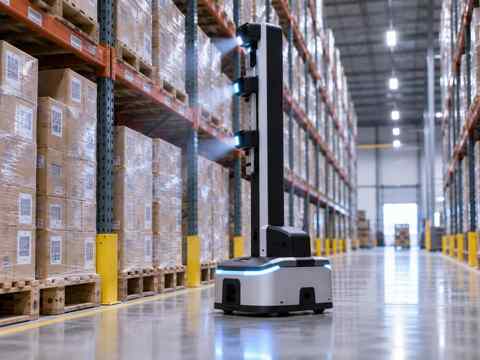
WAREHOUSE INVENTORY SCANNING ROBOTSRIFE Inventory Scanning Robot in warehouse aisle
RIFE Robotics
APPLICATION OVERVIEW

Start with the operational job, then configure the robot.

Use autonomous scanning robots for selected aisle-level inventory visibility, inspection and cycle-count support workflows.

WHERE THIS APPLICATION FITS

Practical workflow scenarios

Use the robot only where the route, payload, hand-off and operating environment are clearly defined.

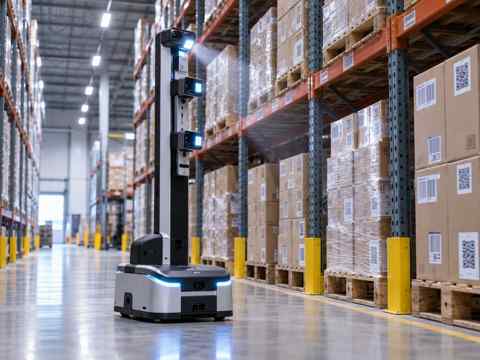
Aisle scanning robot
AISLES

Aisle Scanning

Autonomous missions along mapped warehouse aisles.
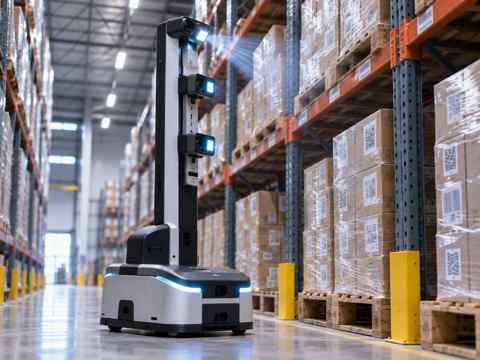
Rack scanning robot
RACKS

Rack Visibility

Selected shelf and rack inspection workflows.

Inventory robot
INVENTORY

Cycle Count Support

Support selected inventory review workflows.
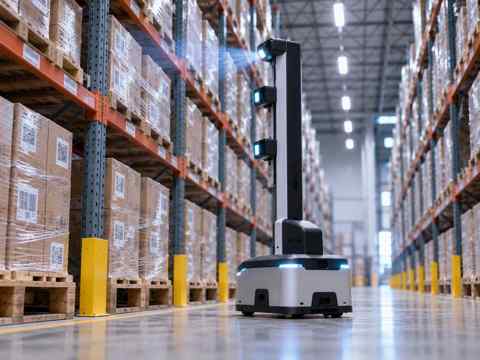
Warehouse scanner rear view
INSPECTION

Repeat Inspection

Repeatable scanning missions in mapped zones.

RIFE Inventory Scanning Robot side view
PRIMARY ROBOT

VIEW INVENTORY SCANNING ROBOT

The robot configuration is selected around the application, payload, route, destination and hand-off process rather than a generic one-size-fits-all setup.

  • Defined pickup and destination points
  • Project-specific payload and hand-off review
  • Mapped routes and operating windows
  • Site-specific commissioning
VIEW INVENTORY SCANNING ROBOT
RIFE inventory scanner close working view
DEPLOYMENT CONTEXT

Scanning works only when the sensing objective is clear

The project must define what is being detected, rack geometry, aisle conditions, labels or markers, expected output and any system interface.

  • Workflow reviewed before deployment
  • Building constraints assessed
  • Human interaction points defined
  • Software or building integrations only where approved
APPLICATION WORKFLOW

From process study to deployment

01

Define

Specify what must be detected or recorded.

02

Survey

Review aisles, racks and visibility constraints.

03

Configure

Select sensors and data workflow.

04

Deploy

Commission mapped scanning missions.

USE CASES

Where this application creates value

Aisle scanner

Mapped Aisles

Autonomous repeat scanning missions.

Shelf scanner

Shelf Review

Selected shelf-level visibility workflows.

Inventory audit robot

Inventory Audit

Support project-configured review processes.

Scanning robot

Repeat Surveys

Consistent scanning routes over time.

PROJECT CONFIGURATION

Specifications follow the application

Dimensions, payload, battery profile, navigation, end-effector, authentication, software interfaces and building integrations are not assumed. They are confirmed for the selected model and approved project scope.

RobotRIFE Inventory Scanning Robot
SensingSelected for project objective
AislesMapped site-specific routes
Rack geometryReviewed before deployment
Data outputDefined per project
IntegrationSubject to approved system scope
FAQ

Questions before you plan a deployment

Can the robot scan warehouse aisles?

Yes, it is intended for project-configured autonomous aisle scanning and inventory visibility workflows.

Does it automatically integrate with WMS?

No integration is assumed; WMS or software interfaces are reviewed separately.

What sensors does it use?

The sensing configuration is selected for the project objective rather than assumed generically.

Can it support cycle counting?

Selected cycle-count support workflows can be evaluated after the sensing and inventory process are defined.

GET IN TOUCH

Discuss your warehouse inventory scanning robots project.

Share the site, payload, route, pickup and destination points, operating hours and any required system interfaces. RIFE Robotics will review the workflow before confirming the configuration.

RIFE Inventory Scanning Robot in warehouse aisle

Discuss Your Robotics Application