WELCOME
Booth Welcome
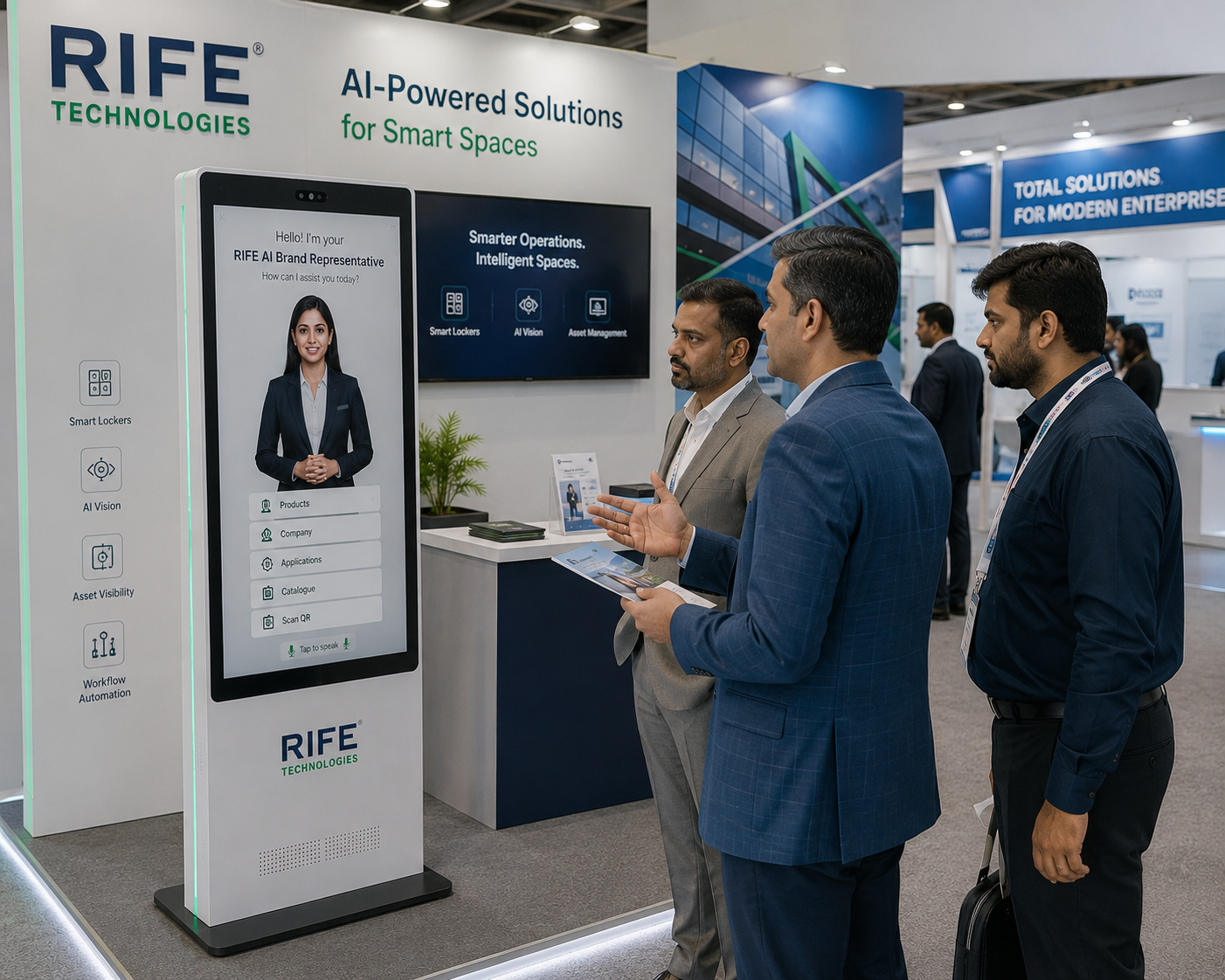
Create an immediate interactive entry point for visitors.
Use a digital event host that can hold a conversation, deliver a consistent company or product presentation, explain demonstrations with visual media, answer approved follow-up questions and qualify or route interested visitors.
Approved event information, exhibit guidance and controlled visitor engagement.
An existing approved RIFE application visual. Exact hardware, language support and deployment are subject to confirmation.
Explore solution →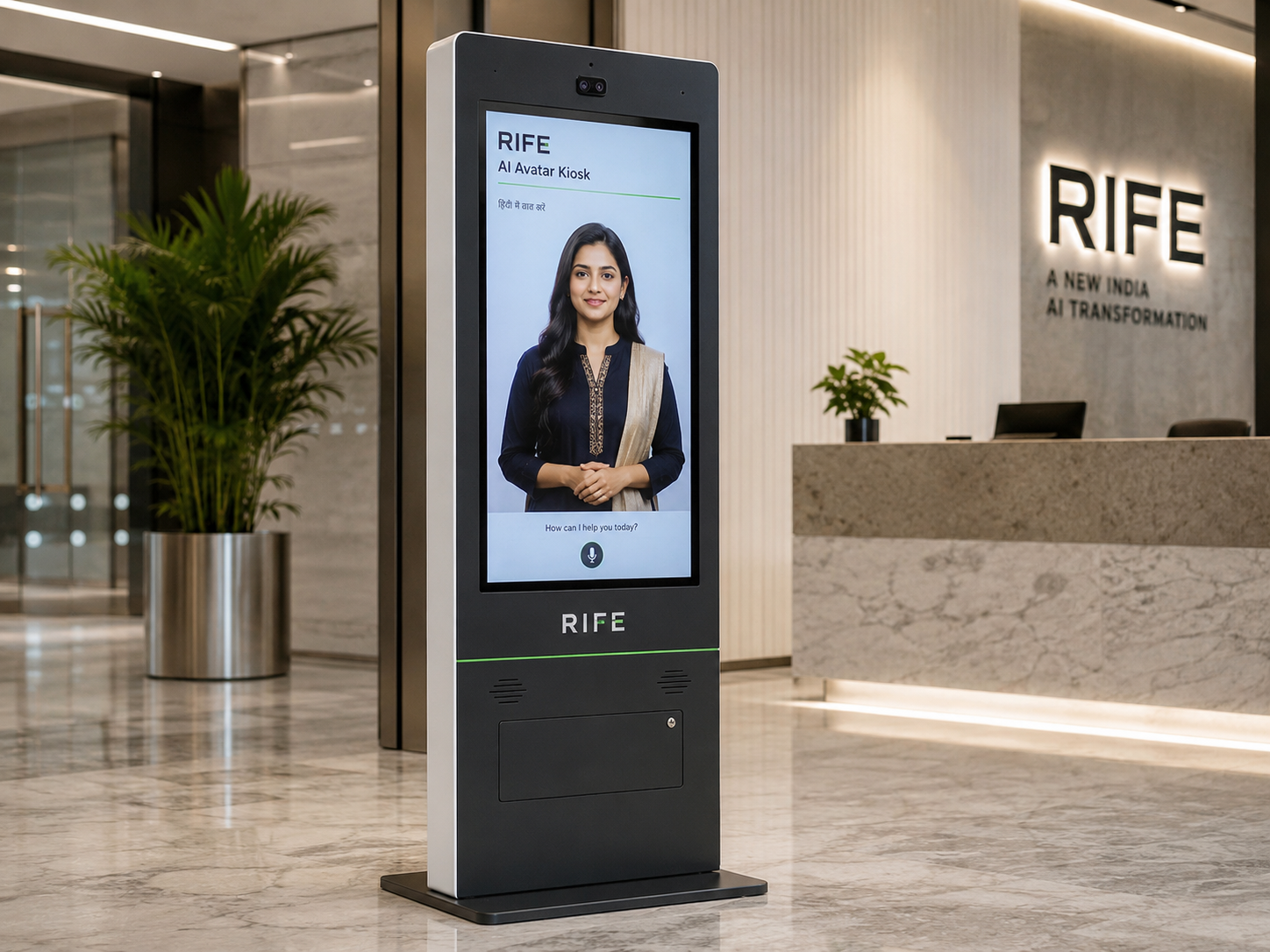
Review existing RIFE imagery to understand the presentation format without assuming an installed customer site.
Explore solution →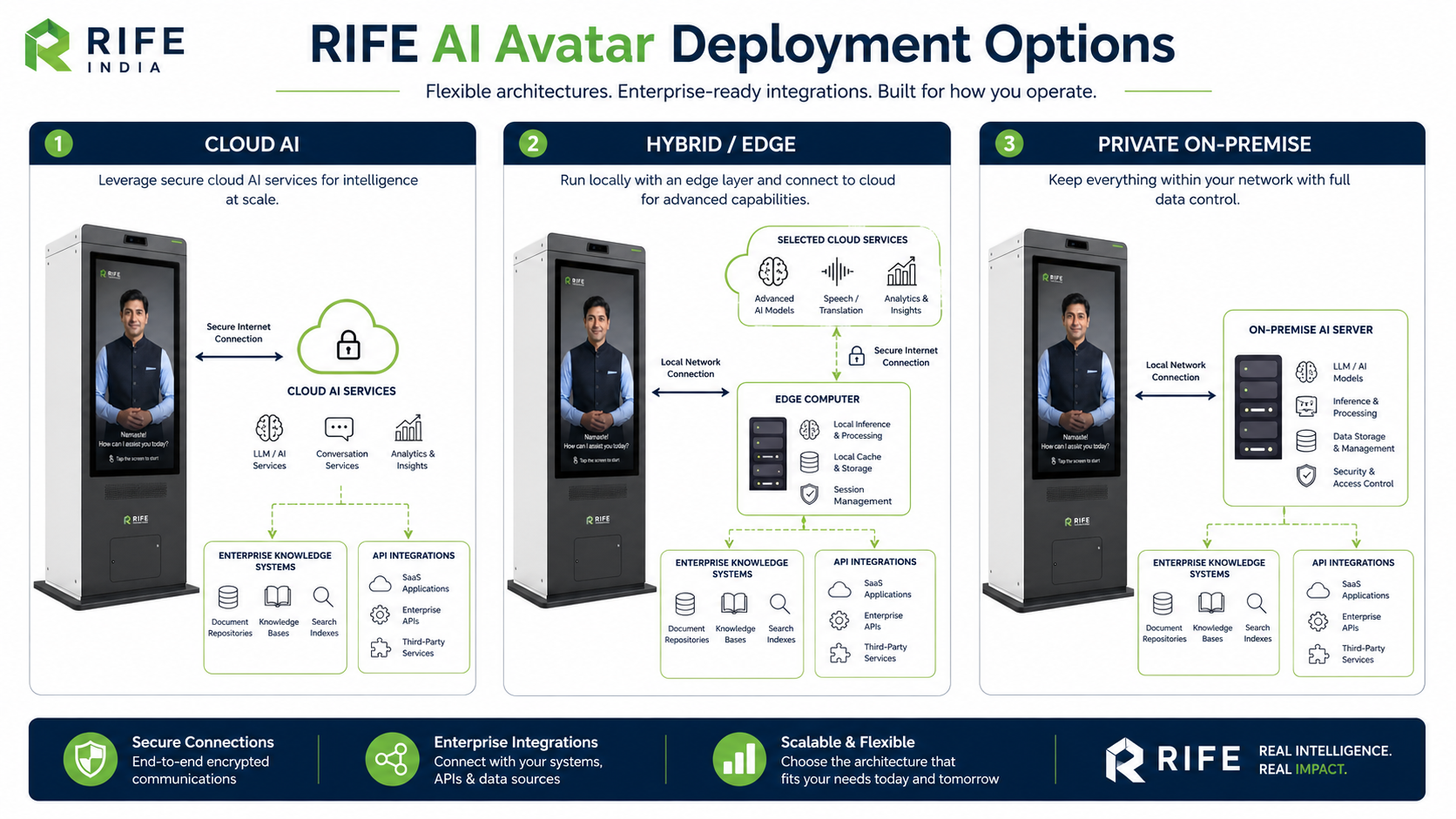
Plan approved answers, accessibility, escalation and actual equipment before deployment.
Explore solution →Use a digital event host that can hold a conversation, deliver a consistent company or product presentation, explain demonstrations with visual media, answer approved follow-up questions and qualify or route interested visitors.
The value is the interaction behind the face: approved knowledge, conversational explanation, visual guidance, repeatable orientation or training content, clear actions and human escalation when needed.
Create an immediate interactive entry point for visitors.
Deliver approved product stories, demonstrations, training-style explanations and follow-up answers with visual media.
Collect configured enquiry details for follow-up.
Provide approved maps, schedules and event information.
The avatar can deliver approved company, product, demonstration or training content and then respond to follow-up questions even when booth staff are occupied.
Capture approved details, show QR links or hand visitors to the appropriate team member.
Visitor approaches the booth kiosk.
Choose company, product, event or demo information.
Avatar explains approved content, demonstrations or learning media and answers follow-up questions.
Collect an enquiry or direct the visitor to staff.
Interactive booth welcome and product discovery.
Explain new products and capture interest.
Agenda, venue and sponsor information.
Branded interactive visitor experience.
Avatar persona, approved knowledge, visual learning content, language coverage, screen format, optional peripherals, integrations and deployment architecture are confirmed during project review.
Yes, configured enquiry forms can capture approved visitor details for follow-up.
Yes. Approved product knowledge, presentations, media and training-style explanations can be configured so visitors can ask follow-up questions after the presentation.
Approved venue maps, schedules and directions can be included.
Yes, a clear staff hand-off workflow can be designed for the event.
Tell us the audience, questions, training or orientation topics, preferred languages, avatar style, visitor journey and any approved systems that should be connected.