How to Install and Deploy an AI Kiosk
Installing an AI kiosk is not just placing a screen in a lobby. The deployment should define the visitor journey, knowledge, physical location, connectivity, privacy, integrations, testing and operating ownership before go-live.
Start with the visitor journey
Define who will use the kiosk, what they need to accomplish, which questions are in scope and what should be handed to a person.
This prevents the project from becoming a generic chatbot on a screen with no clear operational owner.
Prepare approved content before launch
The kiosk should answer from a controlled knowledge source that the organization owns and can update.
Policies, opening hours, departments, product information, visitor instructions and escalation details should be reviewed before testing.
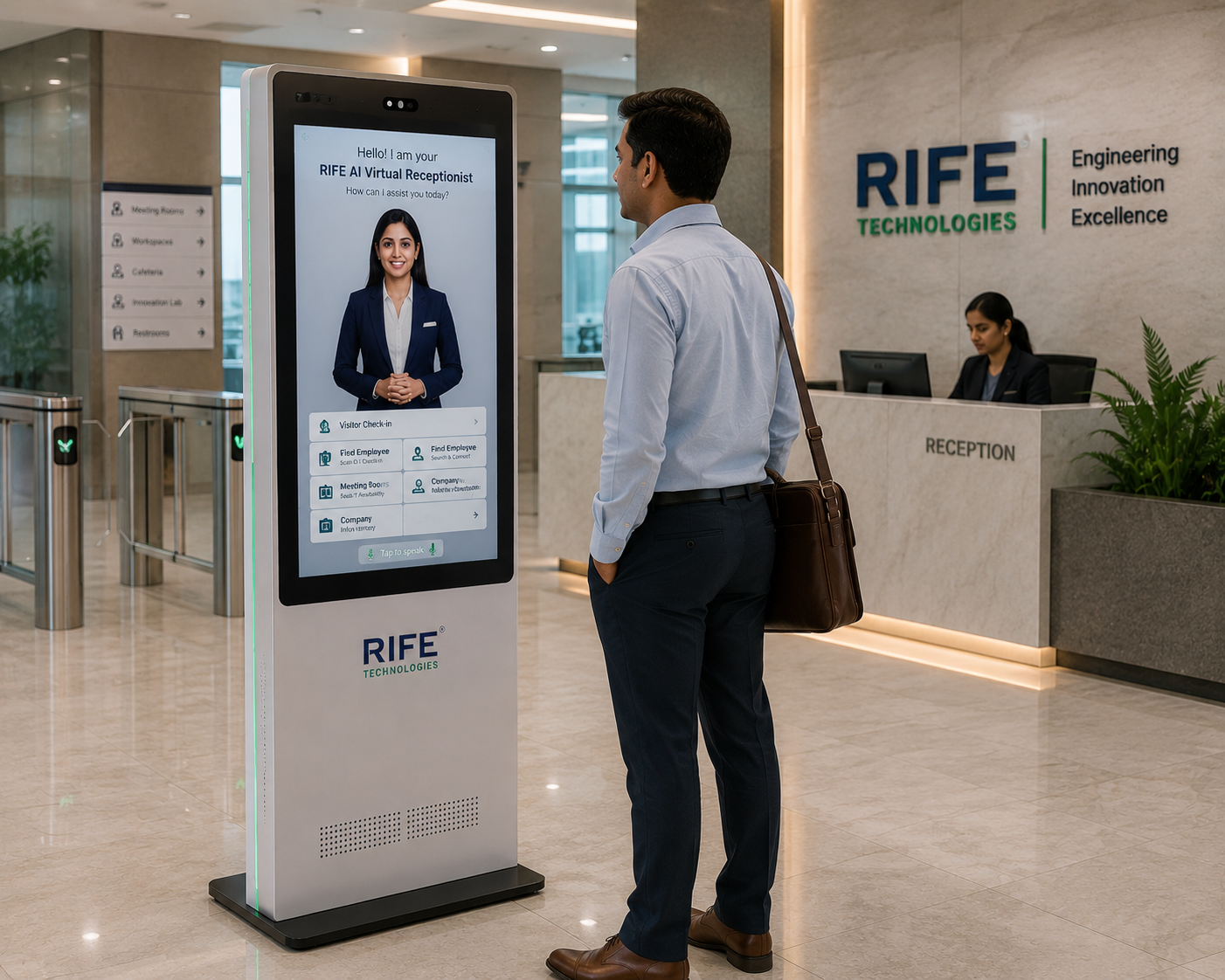
Choose the physical location carefully
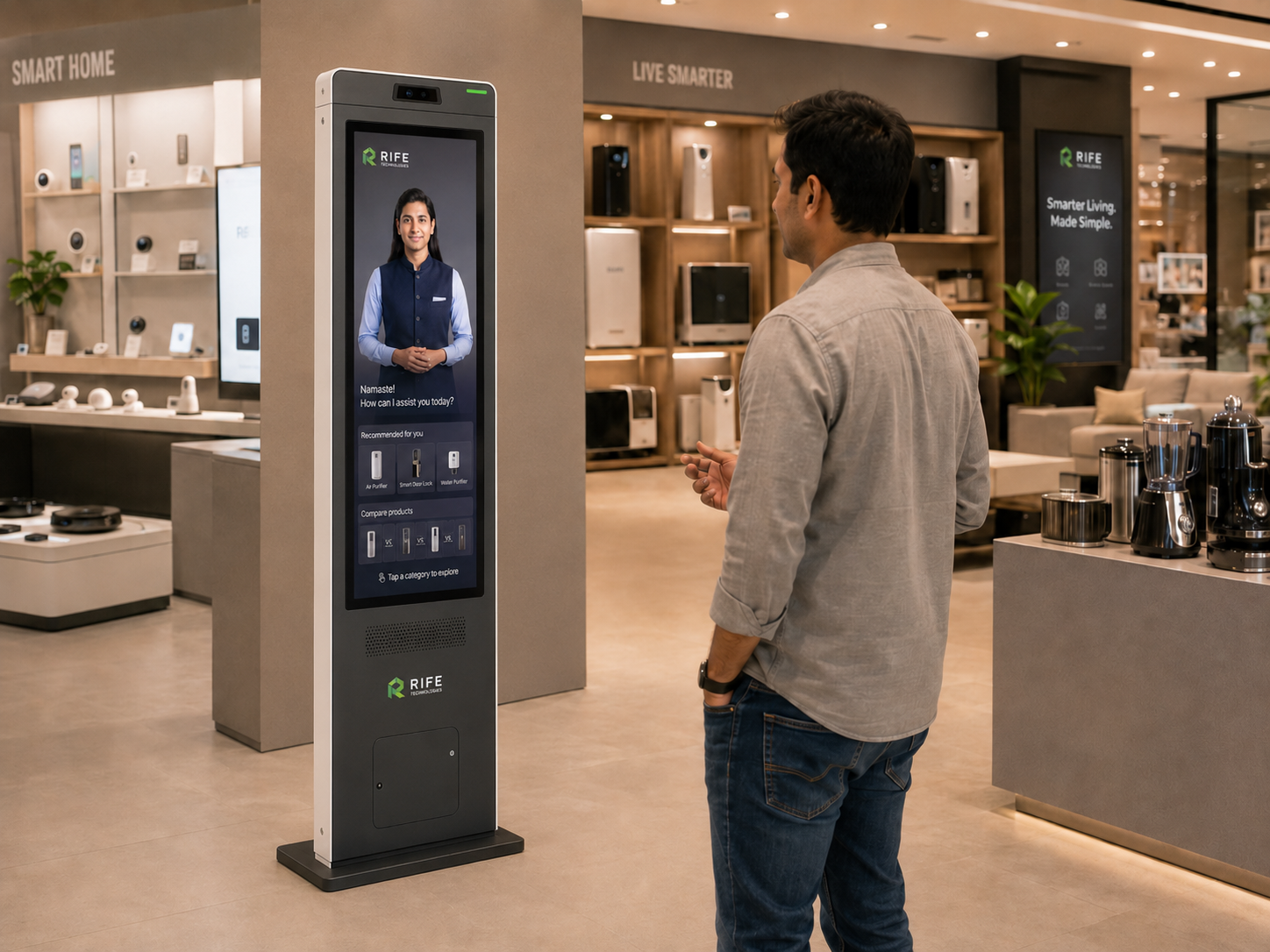
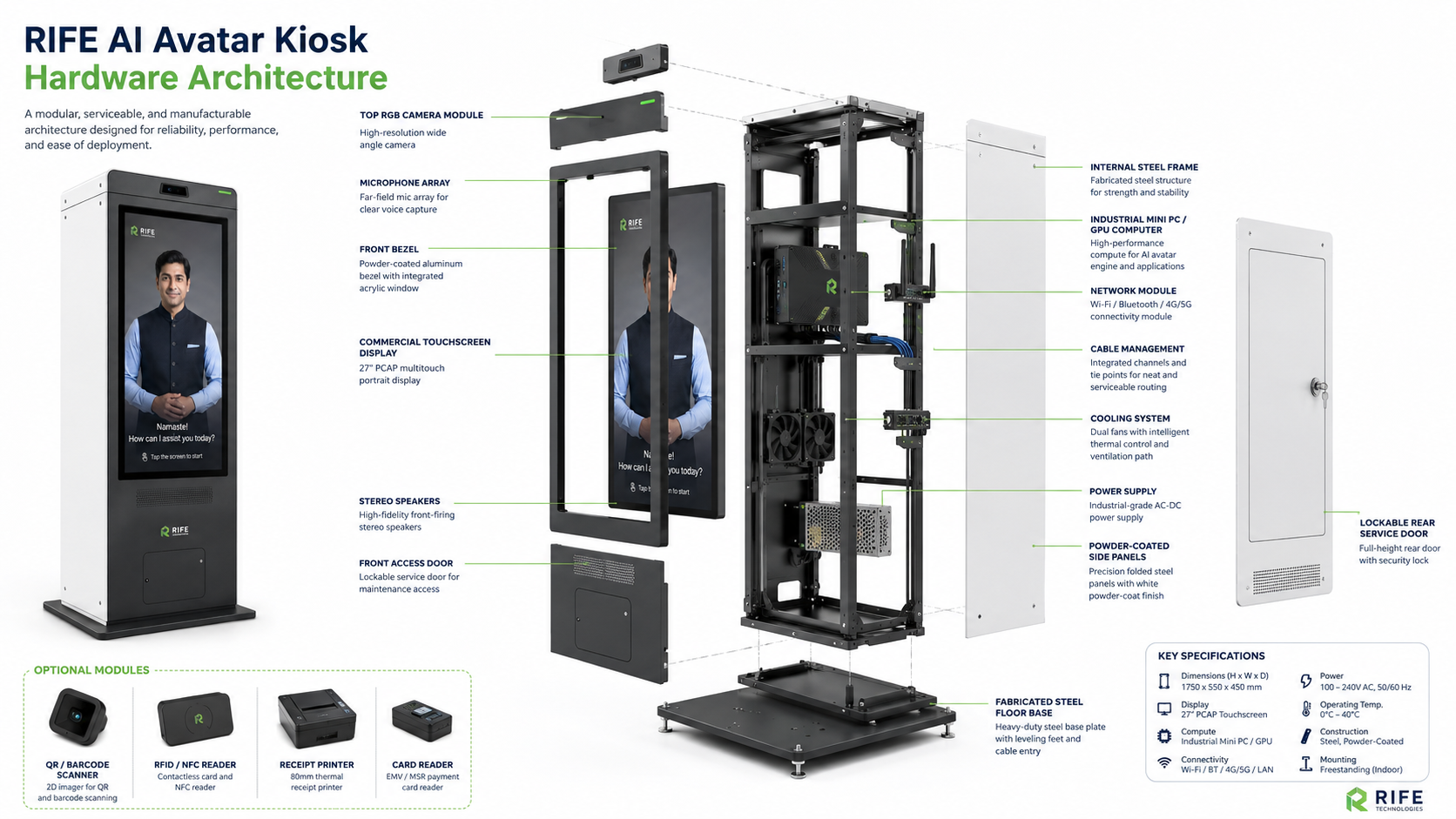
The kiosk needs a visible, accessible position with appropriate power, connectivity, acoustic conditions and safe visitor circulation.
Voice experiences can perform poorly in very noisy locations. Camera, microphone and accessibility needs should be checked at the real installation point.
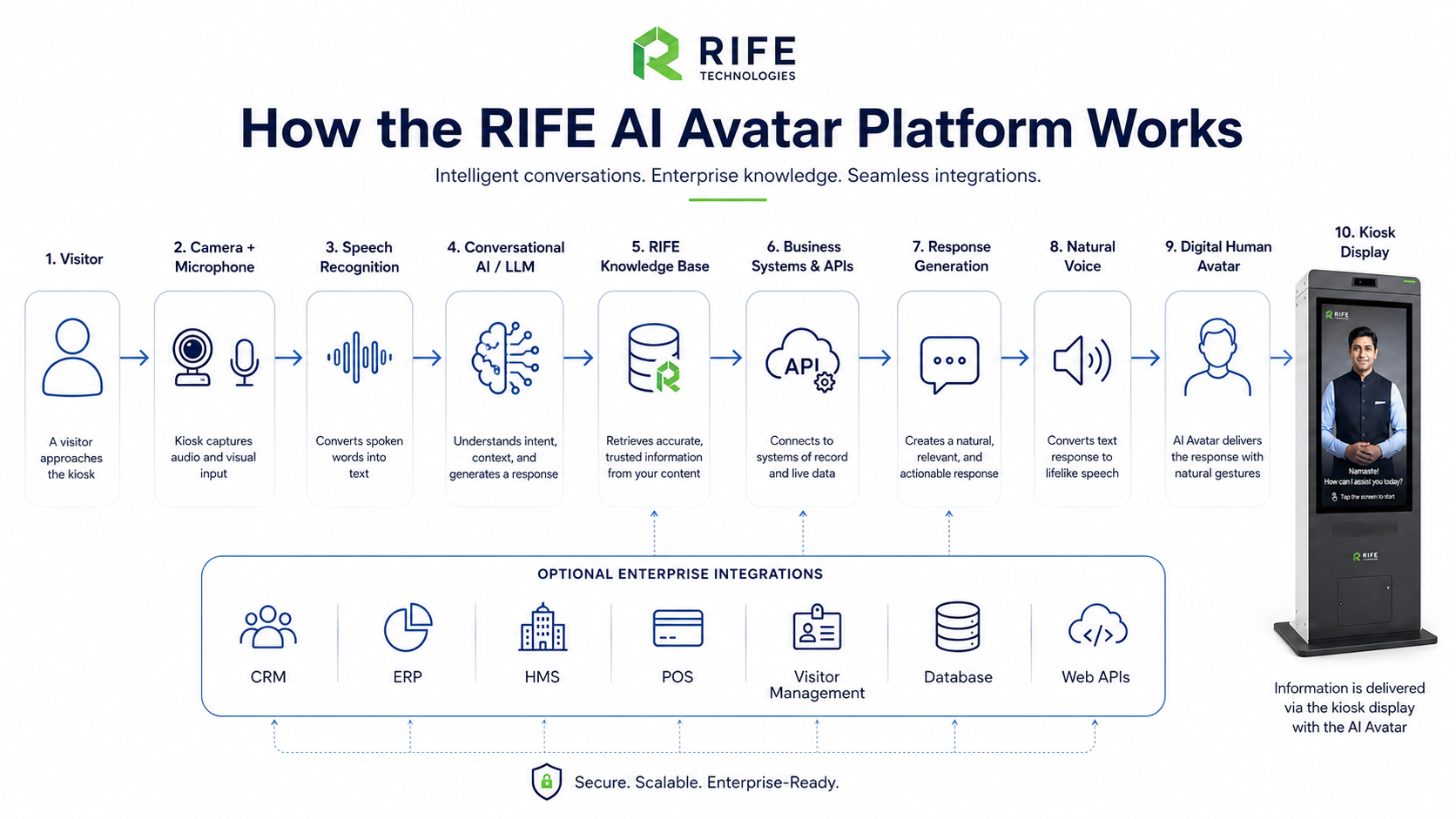
Integrate only the systems the workflow needs
Connect CRM, visitor-management, directory, booking or other systems only when the required action is defined and technically supported.
Each integration needs authentication, permissions, data handling, failure behavior and acceptance criteria.
Test real visitor questions before go-live
Commissioning should include expected questions, difficult accents, noisy conditions, out-of-scope requests, network loss and human hand-off.
The purpose is to prove the complete visitor journey, not just that the screen and microphone switch on.

Assign an owner after installation
Someone must own content updates, escalations, kiosk health, software access and support coordination after go-live.
Without ongoing ownership, even a technically successful kiosk becomes inaccurate as business information changes.

Frequently asked questions
Does an AI kiosk need internet?
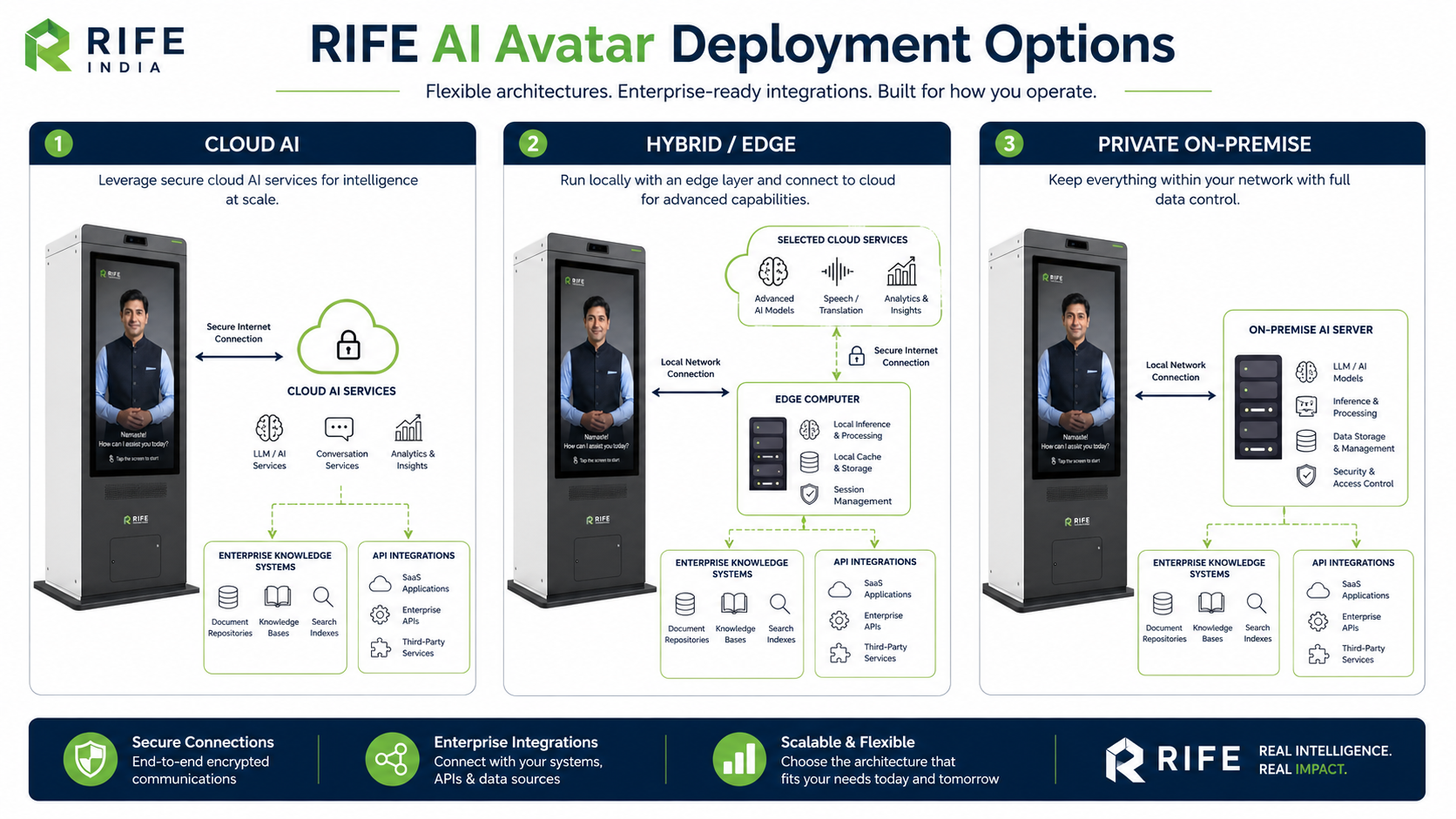
Connectivity requirements depend on the selected AI and integration stack. The project should document which functions require network access and what happens during an outage.
How long does installation take?
Deployment time depends on hardware availability, content preparation, integrations, testing and site readiness; it should be confirmed for the selected project.
Who updates the answers after launch?
The organization should assign a content owner, with the update workflow defined during deployment.